Activity 1.3: Variables and Types

Activity 1.3
Variables and Types
Key Concepts
A variable gives a value a useful name. Its type tells C# what kind of value the variable can store.
Where We Left Off
Raylib.DrawCircle(400, 190, 35, Color.Red);Raylib.DrawCircle(400, 300, 35, Color.Yellow);Raylib.DrawCircle(400, 410, 35, Color.Green);The Problem With Hardcoded Numbers
Raylib.DrawCircle(400, 190, 35, Color.Red);
Raylib.DrawCircle(400, 300, 35, Color.Yellow);
Raylib.DrawCircle(400, 410, 35, Color.Green);To move the signal, you must find and change the same idea in several places.
Give the Value a Name
int lightX = 400;Read the declaration in three parts:
intmeans this variable stores a whole number.lightXis the name.= 400assigns its starting value.
The Type Stays Fixed
A variable's value may change, but its type does not. An int variable can store a different whole number, but it cannot store text.
int score = 0;score = "ten";error CS0029: Cannot implicitly convert type 'string' to 'int'Use the Name Wherever the Idea Appears
int lightX = 400;int lightY = 190;int radius = 35;int gap = 110;
Raylib.DrawCircle(lightX, lightY, radius, Color.Red);Raylib.DrawCircle(lightX, lightY + gap, radius, Color.Yellow);Raylib.DrawCircle(lightX, lightY + gap * 2, radius, Color.Green);Names Can Be Used in Arithmetic
Raylib.DrawCircle(lightX, lightY + gap * 2, radius, Color.Green);C# calculates each argument before Raylib draws the circle.
Assignment Has a Direction
int score = 40;
score = score + 10;
Assignment Has a Direction
int score = 40;
score = score + 10;
If score holds 40, the right side becomes 50. Then 50 goes back into score.
One Edit Can Move a Whole Scene
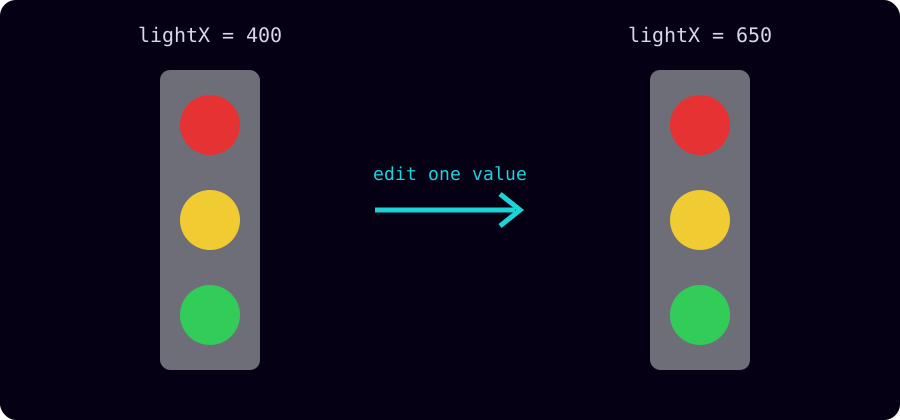
Good Names Are Part of the Program
lightX tells the reader what 400 means. x1 only saves typing.
Months from now, you will explain your own program on the AP exam. Name values for the idea they represent.
Today's Objectives
- Create variables with clear names.
- Identify
intas the whole-number type. - Use variables in drawing calls and arithmetic.
- Translate assignment into exam notation.
Key Terms
- Variable
- A named storage location whose value may change.
- Assignment
- The instruction that puts a value into a variable.
- Type
- A category that determines what kind of value a variable stores.
- Integer
- A whole number. C# uses the type name
int.
'F' → Fullscreen
Build
You will make one small program, then refactor yesterday's traffic signal without changing its appearance.
Task 1: One Circle, Three Names
- Copy
template-game. - Rename the copy
1-03-circle. - Add
circleX,circleY, andradiusabove the Raylib setup. - Use the three names in the circle drawing call.
- Run the program.
- Change
circleXto 150 and run again. - Change
radiusand describe what stays fixed.
using Raylib_cs;
int screenWidth = 800;int screenHeight = 600;
int circleX = 400;int circleY = 300;int radius = 40;
Raylib.InitWindow(screenWidth, screenHeight, "One Circle");Raylib.SetTargetFPS(60);
while (!Raylib.WindowShouldClose()){ Raylib.BeginDrawing(); Raylib.ClearBackground(Color.Black);
Raylib.DrawCircle(circleX, circleY, radius, Color.SkyBlue); Raylib.EndDrawing();}
Raylib.CloseWindow();Task 2: Name the Signal's Numbers
- Open yesterday's
1-02-signalfolder. - Copy it and rename the copy
1-03-signal. - Add
lightX,lightY,radius, andgapabove the setup. - Replace one hardcoded number at a time. Run after every replacement.
- Stop when the picture looks exactly as it did before. An unchanged picture is the success condition.
using Raylib_cs;
int screenWidth = 800;int screenHeight = 600;
int lightX = 400;int lightY = 190;int radius = 35;int gap = 110;
Raylib.InitWindow(screenWidth, screenHeight, "Traffic Signal");Raylib.SetTargetFPS(60);
while (!Raylib.WindowShouldClose()){ Raylib.BeginDrawing(); Raylib.ClearBackground(Color.Black);
Raylib.DrawRectangle(lightX - 50, lightY - 60, 100, 340, Color.Gray); Raylib.DrawCircle(lightX, lightY, radius, Color.Red); Raylib.DrawCircle(lightX, lightY + gap, radius, Color.Yellow); Raylib.DrawCircle(lightX, lightY + gap * 2, radius, Color.Green);
Raylib.EndDrawing();}
Raylib.CloseWindow();The rectangle uses lightX - 50 because rectangles are placed by a corner while circles are placed by their centers.
Task 3: Move the Whole Signal
- Change only
lightXand run. - Count how many shapes moved.
- Change only
lightYand run. - Try the four values below. Explain why the rectangle leaves extra room at the bottom.
int lightX = 650;int lightY = 125;int radius = 30;int gap = 95;Challenge (Optional): Break the Type
- Add the two lines below anywhere above the Raylib setup.
- Run and record the error code.
- Explain how the message shows that an
intvariable can only store whole numbers. - Delete both lines.
int score = 0;score = "ten";error CS0029: Cannot implicitly convert type 'string' to 'int'Challenge (Optional): Break the Name
- Change one use of
lightXto lowercaselightx. - Run and compare the error with the type error.
- Repair the capital letter.
Raylib.DrawCircle(lightx, lightY, radius, Color.Red);error CS0103: The name 'lightx' does not exist in the current contextSame Idea, Exam Notation
The AP exam uses an arrow for assignment. It does not include C#'s type declaration because the exam notation does not declare types.
int lives = 3;lives = lives - 1;Console.WriteLine(lives);lives ← 3lives ← lives - 1DISPLAY(lives)On the exam, = means “is equal to.” In C#, = is assignment. The comparison operator arrives later.
Checkpoint
Test your final 1-03-signal program:
- Changing
lightXalone moves all four shapes left or right. - Changing
lightYalone moves all four shapes up or down. - Changing
radiuschanges all three lights. - Changing
gapchanges the spacing between the lights. - The program compiles without an error.
Reflection
Answer the following questions before submitting your work.
- The refactored signal initially looked identical to yesterday's version. What did the variables improve if the picture did not change?
- If
scoreholds 40, explain how C# evaluatesscore = score + 10;and state the final value. - Why can a variable declared with
int score = 0;not later store the text"ten"?
Submit
Submit your completed activity sheet. Keep 1-03-circle and 1-03-signal in your workspace.