Activity 1.13: Taking Control

Activity 1.13
Taking Control
Key Concepts
Asking Whether a Key Is Held
Being Told a Key Was Pressed
Where the Mouse Is
What You Are Building
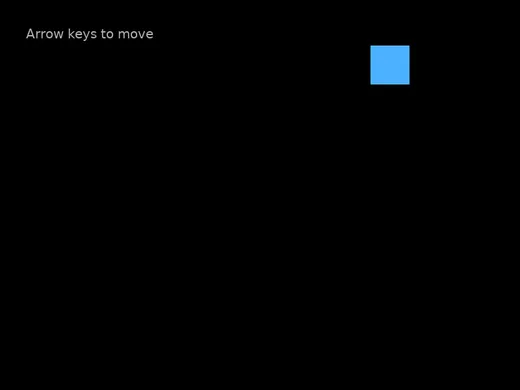
Something that moves because you moved it.
Everything So Far Ran on Its Own
Twelve sessions of programs that do the same thing every time you press Run.
Today the program has a person in it.
Way One: Ask
if love.keyboard.isDown("right") then x = x + speed * dtendWay One: Ask
if love.keyboard.isDown("right") then x = x + speed * dtendlove.keyboard.isDown is a question, and it produces true or false — so it goes straight into an if.
Asked in love.update, that is sixty times a second. Hold the key and it moves smoothly.
Way Two: Be Told
function love.keypressed(key)    if key == "space" then        big = not big    end
    if key == "escape" then        love.event.quit()    endend
Way Two: Be Told
function love.keypressed(key)    if key == "space" then        big = not big    end
    if key == "escape" then        love.event.quit()    endend
You do not call this. The engine calls it, once, at the moment a key goes down.
Same arrangement as love.draw and love.update. It has been in your template since session 2.
They Are Not Interchangeable
- isDown, in love.update
- For things that happen while a key is held. Moving.
- love.keypressed
- For things that happen once, at the moment of pressing. Jumping, pausing, firing.
Use the wrong one and the program still runs. It just feels broken.
The Mouse Answers Two Questions
local mx, my = love.mouse.getPosition()One call, two answers, two names on the left separated by a comma.
First time you have seen that. It is the same idea as one question having an x and a y.
And Clicks Are Told, Not Asked
function love.mousepressed(mx, my, button) markerX = mx markerY = myendThe engine hands you where the click happened, in the same coordinates you have been drawing in since session 2.
Today's Objectives
- Move a shape with the arrow keys
- Keep it inside the window
- Respond to a single key press
- Use the mouse position and mouse clicks
Key Terms
- love.keyboard.isDown
- Asks whether a key is held right now. Produces a boolean.
- love.keypressed
- Called by the engine once, when a key goes down.
- Clamping
- Forcing a value back inside a range when it goes past.
- love.mousepressed
- Called by the engine when a mouse button goes down, with the position.
'F' → Fullscreen
Build
Task 1: Move With the Arrow Keys
Copy template-game to 1-13-control. Give it x, y, size and speed at the top, draw a square, and add four questions:
function love.update(dt) if love.keyboard.isDown("right") then x = x + speed * dt end
if love.keyboard.isDown("left") then x = x - speed * dt end
if love.keyboard.isDown("up") then y = y - speed * dt end
if love.keyboard.isDown("down") then y = y + speed * dt endendRun it and move around. Hold two keys at once and write down what happens — nothing in the code says diagonal.
Remember that up subtracts from y. That is session 2's coordinate system, and it will feel wrong for about thirty seconds.
Task 2: Keep It on the Screen
Right now the square leaves and does not come back. This is not a bounce — you do not want it to turn around, you want it to stop:
if x < 0 then x = 0end
if x > 800 - size then x = 800 - sizeendAdd the same two for y, using 600. Run it and push into every wall.
if, completely different behavior.Task 3: Press, Do Not Hold
Add a variable local big = false at the top, and make the square draw at size or size * 2 depending on it.
love.keypressed. It came with the template and it is what Escape uses. Add the space branch to the one that is there — do not write a second copy. Two functions with the same name is not an error in Lua; the second one silently replaces the first, and Escape stops working.function love.keypressed(key) if key == "space" then big = not big end
if key == "escape" then love.event.quit() endendPress space. Hold space. It toggles once, no matter how long you hold it, because the engine only calls this at the moment the key goes down.
big = not big is last session's not doing something useful: whatever it was, make it the other one.
Task 4: The Mouse
Copy the template again to 1-13-mouse. Draw a ring wherever the mouse is:
function love.draw() local mx, my = love.mouse.getPosition()
love.graphics.setColor(0.3, 0.7, 1) love.graphics.circle("line", mx, my, 26)
love.graphics.print("Mouse at " .. mx .. ", " .. my, 40, 40)endThen drop a marker where you click:
function love.mousepressed(mx, my, button) markerX = mx markerY = myendAdd markerX and markerY at the top, start them off screen at -100, and draw a filled circle there.
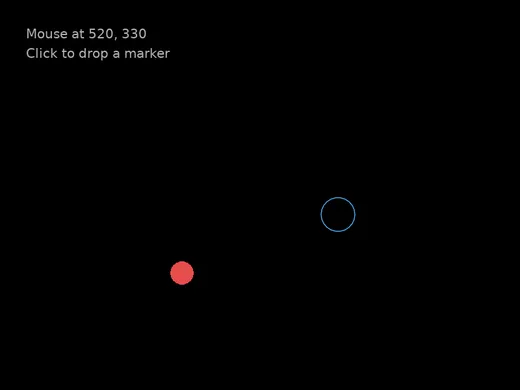
Starting the marker at -100 is a small trick worth knowing: it exists, it is drawn every frame, and nobody can see it until you move it.
Challenge (Optional): Break It on Purpose
Go back to 1-13-control and move one of the four movement questions into love.keypressed instead:
function love.keypressed(key) if key == "right" then x = x + 10 endendHold the right arrow down. Compare it with holding the left arrow, which still uses isDown. Write down exactly what the difference feels like, and which one you would want for a game.
No error. Both versions are correct Lua and both do what they say.
Challenge (Optional): Follow the Mouse
Make the square from 1-13-control chase the mouse instead of using the keyboard — each frame, move it a little toward wherever the pointer is.
Two decisions across, two down. If the square is left of the mouse, move right; if it is right of it, move left. Watch what happens when it arrives.
Checkpoint
1-13-controlmoves in four directions and cannot leave the window- Space toggles the size once per press, not repeatedly
1-13-mousetracks the pointer and drops a marker where you click- You can say which of the two keyboard methods is for holding and which is for pressing
Reflection
Answer the following questions before submitting your work.
- Nothing in your program says the word "diagonal", but holding two arrow keys moves the square diagonally. Explain how that happens.
- Session 9's wall reversed a speed and today's wall overwrote a position. Describe a situation where you would want each one, and say what today's program would look like if you had used a bounce instead.
- You never wrote a line that calls
love.keypressed, and it ran anyway. Name two other things in your program that work the same way, and say what they all have in common.
Submit
Submit the required files to the appropriate dropbox.