Activity 1.2: Your First Window

Activity 1.2
Your First Window
Key Concepts
A Second Kind of Program
Where Things Go on Screen
Shapes and Color
What You Are Building
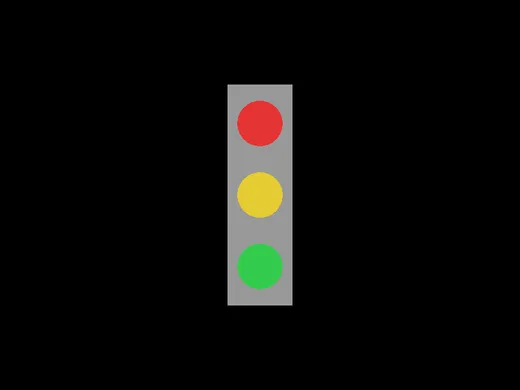
Four shapes. No pictures, no image files.
Two Templates, Not One
- template-console
- What you used last time. Text in a panel.
- template-game
- Opens a window and draws in it.
Same Run button. Same language. You pick by which folder you copied.
What Is Already in template-game
function love.draw()    love.graphics.print("Hello World!", 400, 300)end
function love.keypressed(key)    if key == "escape" then        love.event.quit()    endend
What Is Already in template-game
function love.draw()    love.graphics.print("Hello World!", 400, 300)end
function love.keypressed(key)    if key == "escape" then        love.event.quit()    endend
You never call either of these.
Something Else Calls Them
A window is not a list of instructions that finishes. It has to stay up.
So the engine runs its own loop, and 60 times a second it says: your turn, draw.
love.draw is a box you put drawing in. We open that box near the end of the quarter.
You Write Inside the Box
function love.draw()
end
Everything today goes between those two lines. The word end closes the box.
Where Is (0, 0)?
Not the middle. Not the bottom left.
Where Is (0, 0)?
Not the middle. Not the bottom left.
The top left corner.
xgrows to the right, as you would expectygrows downward, which you would not
So Bigger y Means Lower
The window is 800 wide and 600 tall, so the middle is (400, 300) and the bottom right is (800, 600).
Every graph you have drawn in math class has y going up. This one does not. It catches everybody once.
Drawing a Rectangle
function love.draw() love.graphics.rectangle("fill", 350, 130, 100, 340)end- "fill"
- Solid. The other option is
"line", an outline. - 350, 130
- The top left corner of the rectangle.
- 100, 340
- How wide and how tall — not a second corner.
A Circle Is Measured Differently
love.graphics.circle("fill", 400, 190, 35)400, 190 is the center, and 35 is the radius.
A rectangle is placed by its corner and a circle by its middle. That inconsistency is real and you will trip on it.
Color Runs 0 to 1
love.graphics.setColor(0.5, 0.5, 0.5)Red, green, blue. 0 is none, 1 is all of it.
Color Runs 0 to 1
love.graphics.setColor(0.5, 0.5, 0.5)Red, green, blue. 0 is none, 1 is all of it.
Every color you look up online is written 0 to 255. Divide by 255.
What 0 to 255 Looks Like Here
love.graphics.setColor(128, 128, 128)What 0 to 255 Looks Like Here
love.graphics.setColor(128, 128, 128)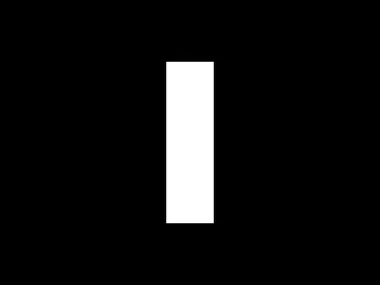
Anything above 1 is treated as 1. So everything is white, and white on white is invisible.
Color Stays Set
setColor does not belong to one shape. It changes the color the engine uses from that point on.
Set it before each shape you want a different color.
Today's Objectives
- Copy the game template and open a window
- Place a shape using x and y
- Draw filled rectangles and circles
- Set color on the 0 to 1 scale
Key Terms
- Window
- The separate box the program draws in.
- love.draw
- The place your drawing instructions go.
- Coordinate
- An x and y pair naming one spot in the window.
- Origin
- The point (0, 0), which here is the top left corner.
- Argument
- A value you put in the parentheses to say how to do it.
'F' → Fullscreen
Build
Task 1: Open a Window
Copy the template-game folder and rename the copy to 1-02-signal. Open main.lua inside it and press Run.
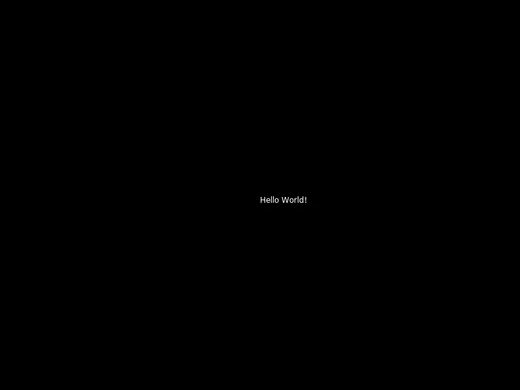
A window opens. Press Escape to close it — that is what love.keypressed in the template is for. You will do this dozens of times today.
The text is drawn at (400, 300), which is the middle of the window — but the text is not centered. That coordinate is where its top left corner goes.
Task 2: One Rectangle
Delete the love.graphics.print line, leaving the box empty, and put a rectangle in it instead:
function love.draw() love.graphics.rectangle("fill", 350, 130, 100, 340)endRun it. A white rectangle. Now change the four numbers one at a time, running after each change, until you can say out loud what each one does.
love.keypressed alone. It is below love.draw and it is how you close the window. Delete it and you will be reaching for the mouse all period.Task 3: Give It a Color
Add one line above the rectangle:
function love.draw() love.graphics.setColor(0.6, 0.6, 0.6) love.graphics.rectangle("fill", 350, 130, 100, 340)endGray, because 0.6 of all three is a bit more than half of white. Try (1, 0, 0) and (0, 0, 1) before you move on.
Task 4: Three Lights
Add a circle, in its own color:
function love.draw() love.graphics.setColor(0.6, 0.6, 0.6) love.graphics.rectangle("fill", 350, 130, 100, 340)
love.graphics.setColor(0.9, 0.2, 0.2) love.graphics.circle("fill", 400, 190, 35)endThen add the other two. The three centers are 190, 300 and 410 down, all at x = 400:
function love.draw() love.graphics.setColor(0.6, 0.6, 0.6) love.graphics.rectangle("fill", 350, 130, 100, 340)
love.graphics.setColor(0.9, 0.2, 0.2) love.graphics.circle("fill", 400, 190, 35)
love.graphics.setColor(0.9, 0.8, 0.2) love.graphics.circle("fill", 400, 300, 35)
love.graphics.setColor(0.2, 0.8, 0.3) love.graphics.circle("fill", 400, 410, 35)endChallenge (Optional): Break It on Purpose
Change the gray line to the numbers you would find on any color website:
love.graphics.setColor(128, 128, 128)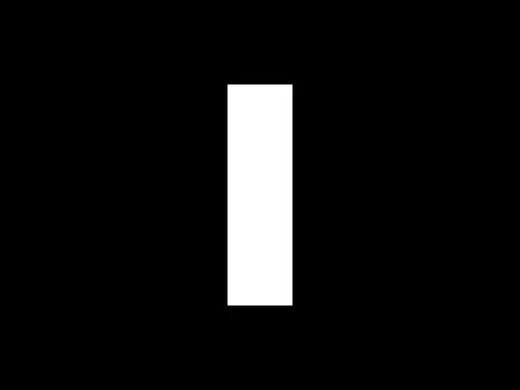
The circles did not disappear. They are still being drawn. Work out why you cannot see them, write it on your sheet, and put the line back.
No error message, no crash, nothing in the terminal. This is the kind of bug you have to reason about instead of read about.
Challenge (Optional): Make It Yours
Copy 1-02-signal to 1-02-scene and draw something of your own out of rectangles and circles — a snowman, a robot, a flag, a face. Anything with at least six shapes and three colors.
Checkpoint
1-02-signalopens a window and closes on Escape- A gray rectangle sits behind three circles
- The circles are red, yellow, and green, top to bottom
- Every color number is between 0 and 1
Reflection
Answer the following questions before submitting your work.
- A shape you wanted near the bottom of the window kept appearing near the top, or the reverse. Explain what the y coordinate actually does, and how you would move a shape down by 50 pixels.
- A rectangle is placed by its top left corner and a circle by its center. Describe how you would work out the numbers to put a circle exactly in the middle of a rectangle.
- You never wrote a line that runs
love.draw, but it ran anyway. Say what you think is calling it, and how often.
Submit
Submit the required files to the appropriate dropbox.