Bonus Project: Bouncing Logo

What This Is
The screensaver everybody has watched waiting for something to happen. A logo drifts across a black screen, hits an edge, and goes the other way. You will build it, and then you will find out how long you have to watch before it hits a corner.
This is extra credit and it is optional. Nothing later in the course depends on it. It exists because you finished early, or because you want to build something you can show somebody.
Before You Start
You need everything through session 9. Variables, love.update(dt), and an if that checks an edge. That is all — this is the smallest project on the list and it is the one you can finish in twenty minutes.
One thing here is new. Drawing text on the screen:
love.graphics.print("AM", x + 60, y + 32)love.graphics.print takes the text, then an x and a y. That is the whole thing. Put your own initials in it — it is your logo.
Copy template-game and rename it bp-bouncing-logo. No new files, no libraries, nothing to install.
Build It
Four stages, and the whole file is printed at the end of every one. Run it after each stage — a stage that works is worth more than three stages you cannot test.
Type it rather than pasting it. The reading you do on the way is the whole point, and pasting skips all of it. When something breaks, the listing at the end of the stage is what your file should look like.
1. A rectangle that sits there
Variables for x, y, w and h, and one love.graphics.rectangle that uses all four. Nothing moves yet.
Give it a color you like. This is on your screen for the rest of the project.
The whole file after stage 1:
local x = 320local y = 240local w = 160local h = 80
function love.draw() love.graphics.setColor(0.2, 0.8, 0.9) love.graphics.rectangle("fill", x, y, w, h)end
function love.keypressed(key) if key == "escape" then love.event.quit() endend2. Make it drift
Two more variables — call them dx and dy — for how far it moves each second in each direction. Then, in love.update:
x = x + dx * dty = y + dy * dtIt will slide off the screen and never come back. That is correct for stage 2.
The whole file after stage 2:
local x = 320local y = 240local dx = 220local dy = 160local w = 160local h = 80
function love.update(dt) x = x + dx * dt y = y + dy * dtend
function love.draw() love.graphics.setColor(0.2, 0.8, 0.9) love.graphics.rectangle("fill", x, y, w, h)end
function love.keypressed(key) if key == "escape" then love.event.quit() endend3. Bounce off all four edges
Four separate conditions, one per edge. The left one looks like this:
if x < 0 then x = 0 dx = -dxendThe minus sign is the whole trick. Going left becomes going right. And the x = 0 is not decoration — without it the logo can end up slightly past the edge, test true again next frame, and flip back. Leave it out once on purpose and watch what happens.
x > 800. The rectangle is drawn from its left corner, so the right edge is at x + w. Get this wrong and the logo disappears most of the way off screen before it turns around, which is a very easy bug to see and a very easy one to miss.The whole file after stage 3:
local x = 320local y = 240local dx = 220local dy = 160local w = 160local h = 80
function love.update(dt) x = x + dx * dt y = y + dy * dt
if x < 0 then x = 0 dx = -dx end
if x + w > 800 then x = 800 - w dx = -dx end
if y < 0 then y = 0 dy = -dy end
if y + h > 600 then y = 600 - h dy = -dy endend
function love.draw() love.graphics.setColor(0.2, 0.8, 0.9) love.graphics.rectangle("fill", x, y, w, h)end
function love.keypressed(key) if key == "escape" then love.event.quit() endend4. Put your initials on it
Draw the text after the rectangle so it lands on top, and offset it by the same x and y so it travels with the box rather than staying where you put it.
That last part is session 3's idea again: one variable moving several things at once.
The Whole Program
Every stage above, finished and in one piece. This is the exact file the picture below came from — nothing is left out and nothing is abbreviated.
local x = 320local y = 240local dx = 220local dy = 160local w = 160local h = 80
function love.update(dt) x = x + dx * dt y = y + dy * dt
if x < 0 then x = 0 dx = -dx end
if x + w > 800 then x = 800 - w dx = -dx end
if y < 0 then y = 0 dy = -dy end
if y + h > 600 then y = 600 - h dy = -dy endend
function love.draw() love.graphics.setColor(0.2, 0.8, 0.9) love.graphics.rectangle("fill", x, y, w, h)
love.graphics.setColor(0, 0, 0) love.graphics.print("AM", x + 60, y + 32)end
function love.keypressed(key) if key == "escape" then love.event.quit() endendWhat Success Looks Like
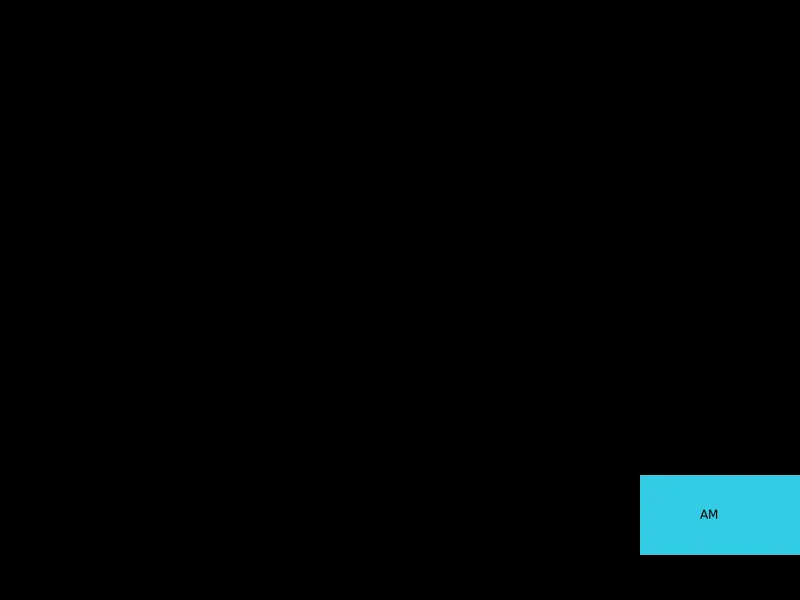
The logo is caught at the right edge, the frame before it turns around. It travels forever, it never leaves the window, and the initials go with it.
Then Make It Yours
- Change color on every bounce. Three variables for red, green and blue, and a new set of values each time an edge is hit.
math.random()with no arguments gives you a number between 0 and 1, which is exactly the scalesetColorwants. - Count the corners. A corner hit is both an x edge and a y edge in the same frame. Count them and draw the count. Then go and do something else for ten minutes and see what the number says — if it is climbing fast, your two speeds divide into each other too neatly.
- Speed up over time. A tiny amount every second. Then find the speed at which it starts passing through walls, and work out why that happens. This is a real bug in real games and it has a name worth knowing.
- Two logos. Then five. Notice how much copying and pasting that takes — sessions 18 and 21 are both about the fix.
The walkthrough is not the submission. Getting the program running earns the credit; what you change afterward is what makes it worth reading. Hand in the folder and a sentence saying what you added, or what broke and what you did about it.