Session 3: Design & Ideation

Session 3
Design & Ideation
You Already Have an Idea
Last session, we asked if you already had a solution in mind for your problem — before we'd even started Design.
Jumping straight to that idea isn't Design. It's skipping Design and going straight to Build.
Your First Idea
Is rarely your best idea.
Your First Idea
It's just your fastest idea.
Divergent Thinking
- Quantity first — aim for 3 real concepts
- No judging yet — every idea counts while sketching
- Genuinely different — not the same idea in a different color
Generate, Then Decide
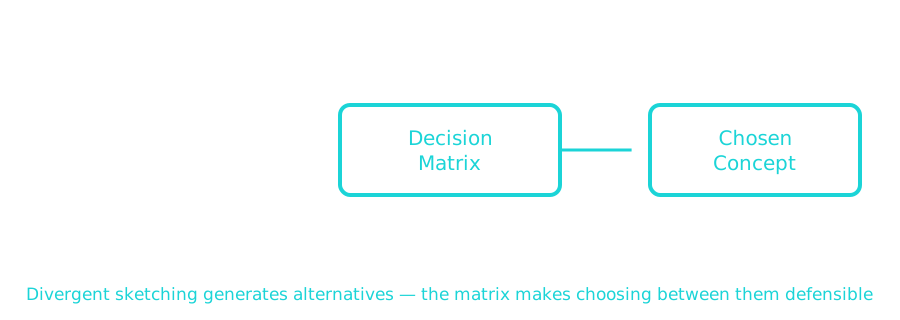
Sketch 3 Concepts
Use your Session 2 problem statement — and the sketch of the problem from your notebook entry — as your starting point.
Three genuinely different ways you could solve it. Rough is fine. Fast is fine.
Now Choose: The Decision Matrix
Not a vote. Not a gut feeling. Score each concept against the same criteria, side by side.
Scoring Categories (1–3 each)
- Cost
- Feasibility
- Time
- Alignment with Success Criteria — from your Session 2 problem statement
Two Things to Remember
Quantity isn't wasted effort.
The goal of sketching three concepts is options, not a finished design on the first try.
Two Things to Remember
The matrix doesn't decide for you.
It makes your reasoning visible, so you can defend the concept you pick — even if it isn't the flashiest one.
Next Time
Session 4: Makerspace Safety I
You've picked a direction. Before anyone touches a tool, we cover how to stay safe doing it.
'F' → Fullscreen
Build
Step 1: Sketch 3 Concepts
Starting from your Session 2 problem statement, sketch three genuinely different ways you could solve it. Follow these ground rules:
- Quantity first — get to 3 real concepts
- No judging yet — don't rule anything out while sketching
- Genuinely different — different mechanisms or approaches, not the same idea with a color swap
Step 2: Build Your Decision Matrix
Score each of your 3 concepts, 1 (weakest) to 3 (strongest), on each category. Here's a worked example for a different problem — a backpack strap that digs into your shoulder:
| Concept | Cost | Feasibility | Time | Alignment | Total |
|---|---|---|---|---|---|
| A: Add extra padding | 3 | 3 | 3 | 2 | 11 |
| B: Widen the strap | 2 | 2 | 2 | 3 | 9 |
| C: Swiveling attachment point | 1 | 1 | 1 | 3 | 6 |
Notice: Concept C had the best alignment score, but the lowest total — it's the most direct fix, but also the most expensive and hardest to build in the time you have. The matrix surfaces that trade-off instead of hiding it.
Now build your own matrix for your own 3 concepts, scored against your own Session 2 success criteria.
Checkpoint
Before you move on, check your work against these two questions.
- Are your 3 concepts genuinely different?
- If you covered up the labels, could someone still tell them apart as different approaches — not just different colors or sizes of the same idea?
- Did you score honestly?
- Scoring your favorite concept a 3 across every category, every time, is a sign you picked first and scored second — not the other way around.
Reflection
Answer the following questions before submitting your work.
- Which concept scored highest? Does that match which one you'd have picked by gut feeling alone? If not, what's the difference?
- Which ground rule — quantity first, no judging yet, or genuinely different — was hardest for you to actually follow? Why?
- Does your chosen concept require any tool or material you haven't used before? Session 4 starts shop safety — it's worth knowing now what you'll need to learn.
Submit
Submit your 3 concept sketches, your decision matrix, and your reflection.