Activity 1.1: Computer Architecture

Activity 1.1
Computer Architecture
Key Concepts
How a Computer Works
Input, Processing, Output, and Memory
The Four Basic Functions
Every computer, from a laptop to a microwave, performs the same four basic functions.
The Four Basic Functions
Input
Information a computer receives from the outside world.
- Keyboard and mouse
- Microphone and camera
- Sensors (temperature, motion, light)
Output
Information a computer sends back out to the world.
- Monitor and speakers
- Printer
- LEDs and motors
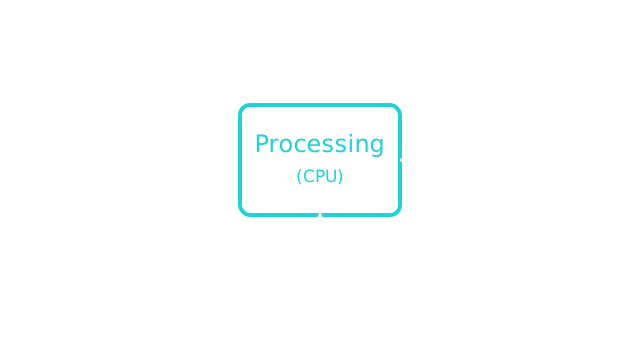
Processing
The CPU (Central Processing Unit) is the "brain" of the computer. It carries out instructions and makes decisions, one step at a time.
Memory
Computers need somewhere to hold data while they work, and somewhere to keep it long-term.
- RAM — temporary, cleared when the power turns off
- Storage (like a hard drive or SSD) — permanent, kept even after the power turns off
Binary
Underneath everything a computer does, it only understands two states: on and off.
We represent those two states as 1 and 0. Each one is called a bit.
Binary
Eight bits grouped together make one byte.
Programming Languages
A programming language lets us write instructions in a form that's easier for humans to read and write, which then gets translated down into the binary a computer actually runs.
Programming Languages
There are many programming languages, each with its own rules:
- Python
- JavaScript
- Java
- C++
This course uses Python.
Code Editors
A code editor is a specialized text editor built for writing and running code — it can highlight syntax, catch errors, and run your programs, all in one place.
Code Editors
There are many. Your teacher will tell you which one this class uses — the ideas are the same in all of them.
Today's Objectives
- Identifying input, processing, output, and memory
- Understanding binary as a computer's "language"
- Writing and running your first Python program
Key Terms
- Input
- Information a computer receives from the outside world.
- Output
- Information a computer sends back out to the world.
- Processing (CPU)
- The part of the computer that carries out instructions.
- Memory
- Where a computer holds data, either temporarily (RAM) or long-term (storage).
Key Terms
'F' → Fullscreen
Build
Open your coding environment and write your very first Python program.
Task 1: Set Up Your Environment
- Follow your teacher's setup guide to open your coding environment. Different setups work differently — the guide covers the one this class uses.
Task 2: Start Your First Program
- Create a new Python program named 1-1-hello.
About naming. Every activity tells you what to name your work. Depending on your setup that might be a project, a workspace, or a file — the name is what matters, so your work can be found and graded.
Task 3: Write and Run Hello World
- Type the following line of code into your file.
- Run your program and check the terminal for the output.
print("Hello, world!")Task 4: Spot the Four Functions
You just ran a one-line program. Before any program gets written, somebody has to work out what the steps are — and every step a computer takes is one of the four things you learned about today.
Below is one exchange in a game. A drone drops out of the ceiling and you fight it. Each line is one step the game takes.
- You press the attack button
- The game works out how much damage you did
- The game holds the drone's new health while the fight continues
- The drone's health bar changes on screen
- You press the dodge button
- The game saves your high score to the drive
Write the numbers 1 through 6 down your page. Next to each one, put Input, Processing, Output, or Memory. One word each. There is no Python to write and nothing to run for this task.
Optional. Two of the six are memory, and they are not the same kind of memory. One is the kind that forgets when the power goes off; the other is the kind that survives it. Say which is which.
Checkpoint
Verify your program works correctly.
Hello, world!Reflection
Answer the following questions before submitting your work.
- Pick one of the four basic functions — input, processing, output, or memory — and name a part of the human body that does the same job. Explain the match in one sentence.
- A computer only understands 1s and 0s, but nobody writes programs that way. Why would a person rather write
print("Hello")than a long row of 1s and 0s? - In your own words, what is the difference between input and output? Give one example of each from a device you used today.
Submit
Submit the required files to the appropriate dropbox.