Activity 2.12: Shipping Your Game

The Idea
A folder on your machine is not something anyone can play. Two things stand between what you have and what you can hand to a friend: the game has to remember something between runs, and it has to travel as one file.
Both turn out to be one idea. The moment your game becomes a single file, it is living inside a read-only archive, and the folder it came from no longer exists as far as the code is concerned. Every decision on this page follows from that.
Where a game is allowed to write
You cannot write next to main.lua. Not because LÖVE is being strict, but because once you ship, main.lua is a compressed entry inside a zip file, and there is no "next to" to write to.
So LÖVE gives every game exactly one writable place, the save directory, somewhere in the operating system's per-user application data. Every path you hand to love.filesystem.write is relative to it, and there is no way to write outside it by accident.
Windows %APPDATA%\LOVE\skynestmacOS ~/Library/Application Support/LOVE/skynestLinux ~/.local/share/love/skynestThe last part of that path is the identity, and it is yours to choose in conf.lua. If you never set one, LÖVE makes one up from the name of the folder or the .love file your game arrived in, which works right up until the day you rename the folder and every saved game silently disappears. Setting t.identity is how you promise your players their save file survives you reorganizing your desktop.
Reading a file that might not be there
The first time anyone runs your game there is no save file, and that is not an error condition — it is the normal case, exactly once. love.filesystem.read returns the contents, or returns nil and a message. It does not raise. That is the same nil-plus-a-message convention Activity 1.12 met in io.open, and it means a missing high score costs you one or 0.
If you would rather ask before you read, that is what getInfo is for. It hands back a table with the type and size, or nil.
if love.filesystem.getInfo("highscore.txt") then -- it is there, and getInfo told you its size tooendThe one-liner that will ruin your day
Here is a bug worth more than the feature it hides in. love.filesystem.read returns two values — the contents and the number of bytes. And tonumber takes two arguments — the string and the base to read it in.
-- Looks tidy. Reads a saved 11 as base 2 and hands you 3.local function loadHighScore()  return tonumber(love.filesystem.read("highscore.txt")) or 0end
-- Reads a saved 11 as eleven.local function loadHighScore()  local contents = love.filesystem.read("highscore.txt")  return tonumber(contents) or 0end
A call in the last argument position keeps all of its return values, which is the rule from Activity 1.7 arriving with teeth. So the tidy version does not read your high score in base ten. It reads it in a base equal to its own length, and I measured what that costs:
- A saved score of 11 comes back as 3. Two bytes, base 2, and 11 in binary is three.
- A saved score of 100 comes back as 9.
- A saved score of 12 comes back as 0, because 2 is not a base-2 digit, so tonumber returns nil and the
or 0catches it. - A saved score of 7 does not come back at all. The game crashes on launch with bad argument #2 to 'tonumber' (base out of range), because one byte means base 1, and bases start at 2.
Every single-digit high score is a crash on the next launch. Not on the machine you wrote it on — that one already has a two-digit file. On somebody else's, the first time they play. Assigning to a local first is not verbosity. It is how you cut a function call down to one value.
A .love file is a zip
That is the entire format. Rename your zip to .love and LÖVE will run it, on any operating system, as long as the person has LÖVE installed. There is exactly one rule, and everybody breaks it once.
main.lua must be at the top of the archive, not inside a folder in it. LÖVE mounts the archive as the root of the game's file system, so if the zip contains skynest/main.lua then main.lua is not at the root and LÖVE shows you the no-game screen. You zip the contents of the folder, never the folder.
$ unzip -Z1 skynest.love $ unzip -Z1 broken.loveenemy.lua skynest/collision.lua skynest/enemy.luaship.png skynest/.DS_Storemain.lua skynest/collision.luaexplode.wav skynest/ship.pngconf.lua skynest/main.luashoot.wav skynest/explode.wavhit.wav skynest/conf.lua skynest/shoot.wav skynest/hit.wavThose are two real archives built from the same eight files. The difference is one cd, and the one on the right does not run. Those are archive listings — every unzip tool can show you one, whatever it calls the command. Note that the broken one also swept up a .DS_Store that macOS left lying in the folder; Windows leaves Thumbs.db and desktop.ini around in exactly the same way. Harmless here, but it tells you something about zipping a folder you have not looked inside.
One file further: fusing
A .love needs LÖVE installed. If you want to hand someone a program instead, you fuse: LÖVE's own executable and your .love are concatenated into one file, and LÖVE finds the zip stuck to its own back end when it starts. On Windows the whole operation is literally copy /b love.exe+skynest.love skynest.exe. On macOS you copy love.app and drop the .love inside it, in Contents/Resources.
The catch is that the rest of the files that shipped with LÖVE have to travel with your executable, and a macOS bundle you have not paid Apple to notarize will be refused by Gatekeeper on your friend's machine. For sharing a game you made for fun, the .love file is the better answer — it is one small file, it works on every platform at once, and it asks nothing of you.
Build
Two edits to main.lua, one to conf.lua, and then you package it. enemy.lua and collision.lua are untouched, and this is the last time you will open them.
Task 1: Finish conf.lua
- Add
t.identityso the save directory has a name you chose. - Add
t.version. It is the version of LÖVE you built against. If someone runs your game on a future major release, LÖVE shows them a compatibility warning instead of a stack trace.
-- conf.lua
function love.conf(t) t.identity = "skynest" t.version = "11.5"
t.window.width = 800 t.window.height = 600 t.window.title = "Skynest"endTask 2: Remember the best run
- Add a
highScorelocal to the program group, not the per-run group. It is the one number in this game that deliberately survivesresetGame. - Write
loadHighScoreabovelove.loadand call it there. Two lines, not one, for the reason above. - Show it on the HUD, under the score.
- Run it. Best: 0, and nothing is written to disk yet — this task only reads.
-- main.lua
local Enemy = require("enemy")local collision = require("collision")
local shiplocal fontlocal titleFontlocal soundslocal highScorelocal spawnEvery = 0.8local gameState = "menu"
local playerlocal bulletslocal fireCooldownlocal enemieslocal spawnTimerlocal scorelocal liveslocal invulnlocal shake
local function resetGame() player = { x = 400, y = 500, size = 40, speed = 300 } bullets = {} fireCooldown = 0 enemies = {} spawnTimer = 0 score = 0 lives = 3 invuln = 0 shake = 0end
local function loadHighScore() local contents = love.filesystem.read("highscore.txt") return tonumber(contents) or 0end
function love.load() love.graphics.setBackgroundColor(0.05, 0.05, 0.1) math.randomseed(os.time()) ship = love.graphics.newImage("ship.png") font = love.graphics.newFont(20) titleFont = love.graphics.newFont(48) love.graphics.setFont(font)
sounds = { shoot = love.audio.newSource("shoot.wav", "static"), hit = love.audio.newSource("hit.wav", "static"), explode = love.audio.newSource("explode.wav", "static"), } sounds.shoot:setVolume(0.35) sounds.hit:setVolume(0.6)
highScore = loadHighScore() resetGame()end
function love.keypressed(key) if key == "escape" then love.event.quit() elseif key == "space" and gameState ~= "playing" then resetGame() gameState = "playing" endend
function love.update(dt) shake = shake - dt
if gameState ~= "playing" then return end
if love.keyboard.isDown("left", "a") then player.x = player.x - player.speed * dt end if love.keyboard.isDown("right", "d") then player.x = player.x + player.speed * dt end
local half = player.size / 2 player.x = math.max(half, math.min(love.graphics.getWidth() - half, player.x))
fireCooldown = fireCooldown - dt invuln = invuln - dt
if love.keyboard.isDown("space") and fireCooldown <= 0 then table.insert(bullets, { x = player.x, y = player.y - 30, size = 6, speed = 500 }) fireCooldown = 0.15 sounds.shoot:clone():play() end
for i = #bullets, 1, -1 do local b = bullets[i] b.y = b.y - b.speed * dt if b.y < -20 then table.remove(bullets, i) end end
spawnTimer = spawnTimer - dt if spawnTimer <= 0 then table.insert(enemies, Enemy.new(math.random(40, love.graphics.getWidth() - 40))) spawnTimer = spawnEvery end
for i = #enemies, 1, -1 do local e = enemies[i] e:update(dt) if e.y > love.graphics.getHeight() + 20 then table.remove(enemies, i) end end
if invuln <= 0 then for i = #enemies, 1, -1 do if collision.overlaps(enemies[i], player) then table.remove(enemies, i) lives = lives - 1 invuln = 2 shake = 0.4 sounds.explode:play() if lives <= 0 then gameState = "gameover" end break end end end
for i = #enemies, 1, -1 do for j = #bullets, 1, -1 do if collision.overlaps(enemies[i], bullets[j]) then table.remove(bullets, j)
local thud = sounds.hit:clone() thud:setPitch(0.9 + math.random() * 0.3) thud:play()
enemies[i].hp = enemies[i].hp - 1 if enemies[i].hp <= 0 then table.remove(enemies, i) score = score + 1 end break end end endend
local function drawHud() love.graphics.setColor(1, 1, 1) love.graphics.print("Score: " .. score, 10, 12) love.graphics.print("Best: " .. highScore, 10, 36)
for i = 1, lives do local x = love.graphics.getWidth() - 24 - (i - 1) * 30 love.graphics.draw(ship, x, 24, 0, 1, 1, ship:getWidth() / 2, ship:getHeight() / 2) endend
local function drawOverlay(title, subtitle) love.graphics.setColor(0, 0, 0, 0.7) love.graphics.rectangle("fill", 0, 0, love.graphics.getWidth(), love.graphics.getHeight())
love.graphics.setColor(1, 1, 1) love.graphics.setFont(titleFont) love.graphics.printf(title, 0, 220, love.graphics.getWidth(), "center")
love.graphics.setFont(font) love.graphics.printf(subtitle, 0, 300, love.graphics.getWidth(), "center")end
function love.draw() love.graphics.push() if shake > 0 then love.graphics.translate(math.random(-6, 6), math.random(-6, 6)) end
local blink = invuln > 0 and math.floor(invuln * 10) % 2 == 1
if not blink then love.graphics.setColor(1, 1, 1) love.graphics.draw(ship, player.x, player.y, 0, 2, 2, ship:getWidth() / 2, ship:getHeight() / 2) end
love.graphics.setColor(1, 0.9, 0.3) for _, b in ipairs(bullets) do love.graphics.rectangle("fill", b.x - 2, b.y - 8, 4, 16) end
for _, e in ipairs(enemies) do e:draw() end
love.graphics.pop()
drawHud()
if gameState == "menu" then drawOverlay("SKYNEST", "Press space to play") elseif gameState == "gameover" then drawOverlay("GAME OVER", "Score " .. score .. " - press space to play again") endendTask 3: Write it down
- When the last life goes, compare and save.
writewants a string, sotostringthe number rather than leaning on coercion. - Once per run, not once per frame. This is a real disk write. The end of a run is the only moment the number can have changed in a way anybody cares about.
- Put the best on the game-over line too.
- Play, die, quit the game completely, and start it again. The number is on the menu screen before you have pressed anything.
-- main.lua
local Enemy = require("enemy")local collision = require("collision")
local shiplocal fontlocal titleFontlocal soundslocal highScorelocal spawnEvery = 0.8local gameState = "menu"
local playerlocal bulletslocal fireCooldownlocal enemieslocal spawnTimerlocal scorelocal liveslocal invulnlocal shake
local function resetGame() player = { x = 400, y = 500, size = 40, speed = 300 } bullets = {} fireCooldown = 0 enemies = {} spawnTimer = 0 score = 0 lives = 3 invuln = 0 shake = 0end
local function loadHighScore() local contents = love.filesystem.read("highscore.txt") return tonumber(contents) or 0end
function love.load() love.graphics.setBackgroundColor(0.05, 0.05, 0.1) math.randomseed(os.time()) ship = love.graphics.newImage("ship.png") font = love.graphics.newFont(20) titleFont = love.graphics.newFont(48) love.graphics.setFont(font)
sounds = { shoot = love.audio.newSource("shoot.wav", "static"), hit = love.audio.newSource("hit.wav", "static"), explode = love.audio.newSource("explode.wav", "static"), } sounds.shoot:setVolume(0.35) sounds.hit:setVolume(0.6)
highScore = loadHighScore() resetGame()end
function love.keypressed(key) if key == "escape" then love.event.quit() elseif key == "space" and gameState ~= "playing" then resetGame() gameState = "playing" endend
function love.update(dt) shake = shake - dt
if gameState ~= "playing" then return end
if love.keyboard.isDown("left", "a") then player.x = player.x - player.speed * dt end if love.keyboard.isDown("right", "d") then player.x = player.x + player.speed * dt end
local half = player.size / 2 player.x = math.max(half, math.min(love.graphics.getWidth() - half, player.x))
fireCooldown = fireCooldown - dt invuln = invuln - dt
if love.keyboard.isDown("space") and fireCooldown <= 0 then table.insert(bullets, { x = player.x, y = player.y - 30, size = 6, speed = 500 }) fireCooldown = 0.15 sounds.shoot:clone():play() end
for i = #bullets, 1, -1 do local b = bullets[i] b.y = b.y - b.speed * dt if b.y < -20 then table.remove(bullets, i) end end
spawnTimer = spawnTimer - dt if spawnTimer <= 0 then table.insert(enemies, Enemy.new(math.random(40, love.graphics.getWidth() - 40))) spawnTimer = spawnEvery end
for i = #enemies, 1, -1 do local e = enemies[i] e:update(dt) if e.y > love.graphics.getHeight() + 20 then table.remove(enemies, i) end end
if invuln <= 0 then for i = #enemies, 1, -1 do if collision.overlaps(enemies[i], player) then table.remove(enemies, i) lives = lives - 1 invuln = 2 shake = 0.4 sounds.explode:play() if lives <= 0 then gameState = "gameover" if score > highScore then highScore = score love.filesystem.write("highscore.txt", tostring(highScore)) end end break end end end
for i = #enemies, 1, -1 do for j = #bullets, 1, -1 do if collision.overlaps(enemies[i], bullets[j]) then table.remove(bullets, j)
local thud = sounds.hit:clone() thud:setPitch(0.9 + math.random() * 0.3) thud:play()
enemies[i].hp = enemies[i].hp - 1 if enemies[i].hp <= 0 then table.remove(enemies, i) score = score + 1 end break end end endend
local function drawHud() love.graphics.setColor(1, 1, 1) love.graphics.print("Score: " .. score, 10, 12) love.graphics.print("Best: " .. highScore, 10, 36)
for i = 1, lives do local x = love.graphics.getWidth() - 24 - (i - 1) * 30 love.graphics.draw(ship, x, 24, 0, 1, 1, ship:getWidth() / 2, ship:getHeight() / 2) endend
local function drawOverlay(title, subtitle) love.graphics.setColor(0, 0, 0, 0.7) love.graphics.rectangle("fill", 0, 0, love.graphics.getWidth(), love.graphics.getHeight())
love.graphics.setColor(1, 1, 1) love.graphics.setFont(titleFont) love.graphics.printf(title, 0, 220, love.graphics.getWidth(), "center")
love.graphics.setFont(font) love.graphics.printf(subtitle, 0, 300, love.graphics.getWidth(), "center")end
function love.draw() love.graphics.push() if shake > 0 then love.graphics.translate(math.random(-6, 6), math.random(-6, 6)) end
local blink = invuln > 0 and math.floor(invuln * 10) % 2 == 1
if not blink then love.graphics.setColor(1, 1, 1) love.graphics.draw(ship, player.x, player.y, 0, 2, 2, ship:getWidth() / 2, ship:getHeight() / 2) end
love.graphics.setColor(1, 0.9, 0.3) for _, b in ipairs(bullets) do love.graphics.rectangle("fill", b.x - 2, b.y - 8, 4, 16) end
for _, e in ipairs(enemies) do e:draw() end
love.graphics.pop()
drawHud()
if gameState == "menu" then drawOverlay("SKYNEST", "Press space to play") elseif gameState == "gameover" then drawOverlay("GAME OVER", "Score " .. score .. " - best " .. highScore .. " - press space to play again") endendTask 4: Make the .love
Your folder should hold exactly these eight files.
skynest/ main.lua conf.lua enemy.lua collision.lua ship.png shoot.wav hit.wav explode.wav- Windows. Open the folder, select all eight files — not the folder, the files inside it — then right-click and compress them. The menu wording differs between Windows 10 and 11, but it is the only compress option there. Rename the .zip you get to skynest.love.
- Turn file extensions on before you rename anything. If Explorer is hiding them, the file you believe you just named skynest.love is really skynest.love.zip, and nothing you do to it will work. The View menu has a checkbox for file name extensions. This costs more people more time than every other step on this page put together.
- macOS or Linux, from the terminal. Note the
cd— you are inside the folder zipping., and the archive is written one level up so it does not try to include itself. The-x ".*"leaves out hidden files like .DS_Store.
cd skynestzip -9 -r ../skynest.love . -x ".*"- Check it before you send it. On Windows, copy the .love, rename the copy back to .zip, and double-click it — Explorer will show you what is inside. On macOS or Linux,
unzip -l skynest.love. Either way you want main.lua sitting at the top with no folder in front of it. - Run the .love itself, not the folder. Drag it onto LÖVE, or double-click it if the installer associated the file type. If you get the no-game screen, your zip has a folder in it.
Challenge (Optional)
- Say when it is a new best. The honest version is harder than it looks: by the time you draw the overlay you have already overwritten
highScore, soscore == highScoreis also true when you exactly tie an old record. Deriving state instead of storing it is usually right, and this is a small clean example of where it is not. - Save more than a number. Write several lines and parse them back with the string patterns from the bonus page, or write a Lua table as source text and load it with
loadstring. The second one is how a great many real games do it, and it is worth knowing that a save file being executable code is a decision with consequences. - Handle a corrupted save. Open highscore.txt in a text editor, replace the number with the word
banana, and launch the game. It should start at zero without complaining, and if it does, you already wrote the error handling — go and find theor 0that did it. - Print the save directory on the menu.
love.filesystem.getSaveDirectory()tells you exactly where your file went, which is the fastest way to end an argument with yourself about whether it saved. - Give it away. Send the .love to somebody who has LÖVE and watch them play it. This is the only item on the page you cannot verify by yourself.
Check Your Work
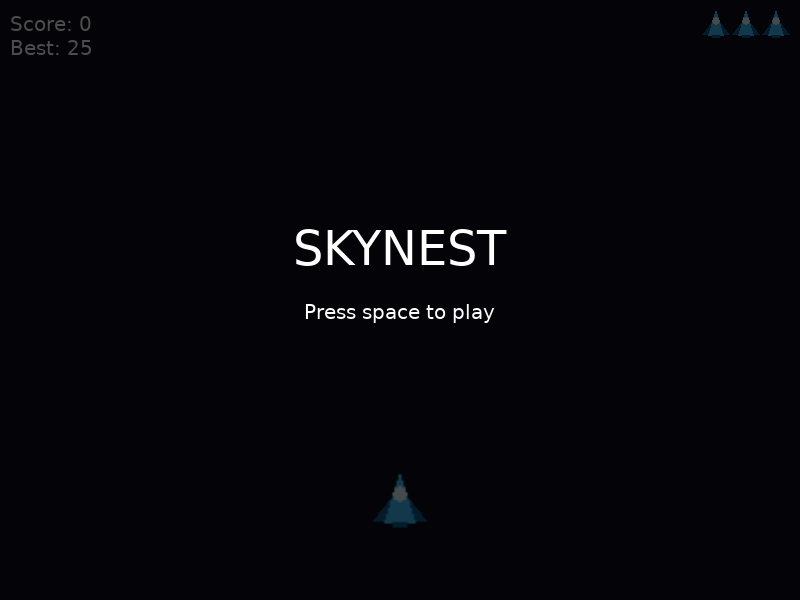
A cold launch on a machine that has played before. Best: 25 came off the disk in love.load, before anything was pressed.
- Play a run, quit, relaunch. The best score is on the menu screen immediately, before you press anything.
- Beat it, quit, relaunch. It went up. Fail to beat it, quit, relaunch. It did not.
- A high score of any length works — including a single digit, which is the case that catches the one-liner.
- skynest.love runs by itself, from anywhere on your disk, with the original folder moved or renamed.
- The archive listing shows main.lua at the top level.
If the best score never changes, look at whether you saved on the hit that ended the run or somewhere the early return can reach. If it resets to zero every launch, print love.filesystem.getSaveDirectory() and go look in that folder — either the file is not there, in which case the write never ran, or it is there with the right number in it, in which case the read is the one-liner and you are getting a base conversion.
That Is the Course
You have a game that starts, is hard, can be lost, remembers you, and fits in one file you can send to somebody. It is built out of four Lua files and about two hundred lines, and there is nothing in it you did not write.
Look back at what is actually doing the work. The enemies are the metatable class from Activity 1.11. Both removal loops run backwards because of Activity 1.9. The cooldown, the spawn timer, the invulnerability and the shake are the same accumulator four times over. The HUD counts icons from a number rather than trusting a second copy of the truth. LÖVE never taught you any of that. It drew the pixels and told you which keys were down, and that was the whole of its contribution.
That was the point of doing Unit 1 first, and it is why you can now pick up any Lua codebase — a Roblox game, a Neovim config, a Redis script, a mod for something you like — and read it. Frameworks are the easy half. You did the other one.