Library Exploration: Raylib — Many Things at Once
Optional — For Fun

What This Is
Part 2. Do Raylib — Motion first, and do the list activities 1.18 through 1.21 first as well. Everything here is built out of them.
One bouncing ball is a demo. A hundred moving things is a game, and the only thing standing between the two is a list.
The pattern is the same every time, and it is worth naming now:
- A list holds the positions
- A
forloop updates every position — that is Activity 1.20'srange(len(list))traversal - A second
forloop draws every position
Update everything, then draw everything. Every program on this page is that shape with different details.
Work Through These
1. One list, twenty falling things
from pyray import *import random
set_trace_log_level(LOG_NONE)init_window(640, 360, "Rain")set_target_fps(60)
drop_y = []
for i in range(20):    drop_y.append(random.randint(0, 360))
while not window_should_close():    for i in range(len(drop_y)):        drop_y[i] = drop_y[i] + 6        if drop_y[i] > 360:            drop_y[i] = 0
    begin_drawing()    clear_background(BLACK)
    for i in range(len(drop_y)):        draw_line(20 + i * 32, drop_y[i], 20 + i * 32, drop_y[i] + 14, SKYBLUE)
    draw_text("20 drops, one list", 20, 20, 20, LIME)    end_drawing()
close_window()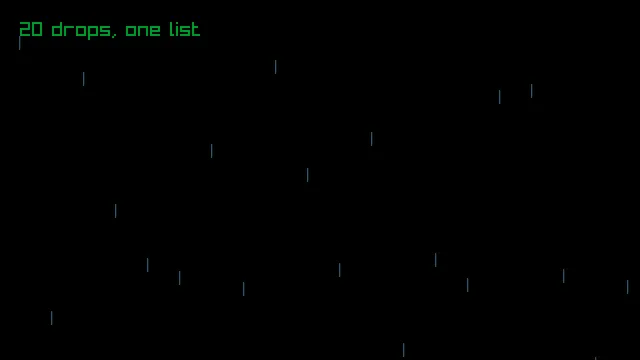
Only the y positions are in a list. Each drop's x position is worked out from its index — 20 + i * 32 — so drop 0 sits at x 20, drop 1 at x 52, and so on. When a value can be calculated, you do not need to store it.
Why range(len(drop_y)) and not for drop in drop_y? Because we are changing the values, and to change an element you need its index. This is exactly the distinction Activity 1.20 draws between the two kinds of traversal, and this is what it is for.
2. Parallel lists
When each thing needs to remember more than one fact, you use more than one list, and you keep them lined up by index. Activity 1.23's idea, with three lists instead of two.
from pyray import *import random
set_trace_log_level(LOG_NONE)init_window(640, 360, "Starfield")set_target_fps(60)
star_x = []star_y = []star_speed = []
for i in range(120):    star_x.append(random.randint(0, 640))    star_y.append(random.randint(0, 360))    star_speed.append(random.randint(1, 3))
while not window_should_close():    for i in range(len(star_x)):        star_x[i] = star_x[i] - star_speed[i]        if star_x[i] < 0:            star_x[i] = 640            star_y[i] = random.randint(0, 360)
    begin_drawing()    clear_background(BLACK)
    for i in range(len(star_x)):        draw_circle(star_x[i], star_y[i], star_speed[i], RAYWHITE)
    draw_text("120 stars, three parallel lists", 20, 20, 20, LIME)    end_drawing()
close_window()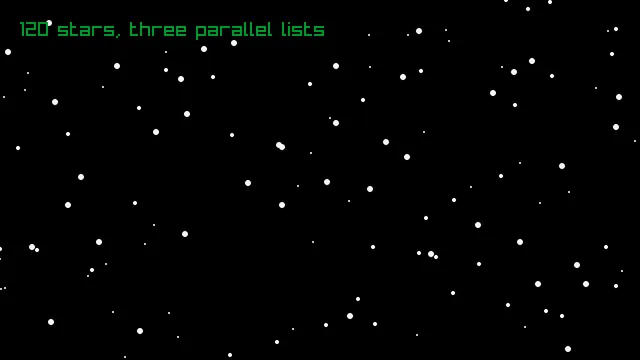
Star number 7's x is star_x[7], its y is star_y[7], and its speed is star_speed[7]. Same index, three lists, one star. Get the indexes out of step and the stars start teleporting.
Notice that star_speed[i] is used twice — once to move the star and once as its radius. Fast stars are big, slow stars are small, and your eye reads that as depth. One list, two jobs.
3. Growing the list with append()
So far the lists were built once and never changed size. Now things appear while the program is running.
from pyray import *import random
set_trace_log_level(LOG_NONE)init_window(640, 360, "Spawning")set_target_fps(60)
coin_x = []coin_y = []timer = 0
while not window_should_close():    timer = timer + 1    if timer > 10:        timer = 0        coin_x.append(random.randint(20, 620))        coin_y.append(0)
    for i in range(len(coin_x)):        coin_y[i] = coin_y[i] + 4
    begin_drawing()    clear_background(BLACK)
    for i in range(len(coin_x)):        draw_circle(coin_x[i], coin_y[i], 10, GOLD)
    draw_text(f"{len(coin_x)} coins so far", 20, 20, 20, LIME)    end_drawing()
close_window()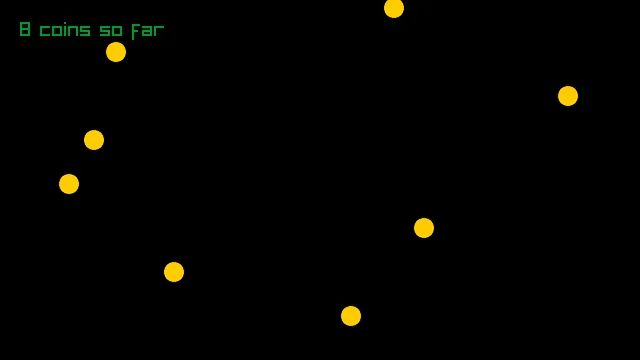
timer counts frames. Every tenth frame it resets and a new coin is appended to both lists at once — and it has to be both, or the lists stop lining up.
There is a real bug in this program and you should find it. The lists only ever grow. Coins that fall off the bottom are still in there, still being updated and drawn, forever. Leave it running for five minutes and watch the counter. Nothing visibly breaks at this size, but it is the kind of thing that quietly ruins a program that runs for a long time.
4. Collision and a score
The last piece. To know whether two things are touching, measure the distance between their centers — and that is the Pythagorean theorem, with math.sqrt() from Activity 1.9.
from pyray import *import randomimport math
set_trace_log_level(LOG_NONE)init_window(640, 360, "Catch")set_target_fps(60)
player_x = 320score = 0
coin_x = []coin_y = []timer = 0
while not window_should_close():    if is_key_down(KEY_RIGHT):        player_x = player_x + 6    if is_key_down(KEY_LEFT):        player_x = player_x - 6
    timer = timer + 1    if timer > 20:        timer = 0        coin_x.append(random.randint(20, 620))        coin_y.append(0)
    for i in range(len(coin_x)):        coin_y[i] = coin_y[i] + 5
        side_a = coin_x[i] - player_x        side_b = coin_y[i] - 320        distance = math.sqrt(side_a * side_a + side_b * side_b)
        if distance < 35:            score = score + 1            coin_y[i] = 1000
    begin_drawing()    clear_background(BLACK)
    for i in range(len(coin_x)):        draw_circle(coin_x[i], coin_y[i], 10, GOLD)
    draw_circle(player_x, 320, 25, SKYBLUE)    draw_text(f"Score: {score}", 20, 20, 20, LIME)    end_drawing()
close_window()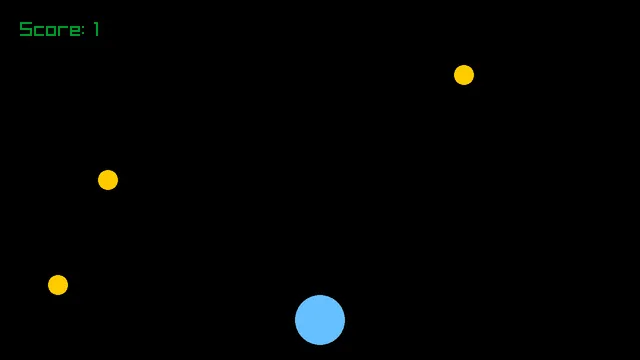
Why 35? The coin's radius is 10 and the player's is 25. Add them and you get the distance between centers at the exact moment their edges touch.
score = score + 1 is the accumulator pattern from Activity 1.21 — the same shape you used to total a list, now keeping score.
And coin_y[i] = 1000 is a deliberate cheat. Removing an item from a list while you are looping over that same list goes wrong in ways that are genuinely hard to see. So instead the caught coin is parked far below the window, where it is still in the list but will never be seen or counted again. Real games do this constantly.
Then Make a Game
You now have every piece: things that move, things you control, things that appear, collision, and a score. Pick one and build it.
- Dodger — the falling things hurt instead of scoring. Three hits and the game is over.
- Catcher — the program above, finished: a timer, a target score, and a message when you reach it.
- Pong, one player — a bouncing ball from Part 1 plus a paddle you move. Miss it and you lose a life.
- Shooter — the space key appends a bullet to a list. Coins become targets.
- Snake — harder than it looks, and the parallel-list practice is excellent. Ask me before you start this one.
Two pieces of advice. Get one thing working before you add the second — a paddle that moves, then a ball, then the collision. And keep the numbers at the top of the file in named variables so you can tune them without hunting through the loop.
To submit: your .py file, a screenshot, and one sentence saying what you would add if you had another hour.