Activity 2.4: Sprites and Images

The Idea
A square is a fine ship for testing and a poor ship for playing. Loading a picture is two lines.
Download the sprite and put it in your skynest folder, next to main.lua.

local ship
function love.load()  ship = love.graphics.newImage("ship.png")end
function love.draw()  love.graphics.draw(ship, 400, 300)end
newImage goes in love.load, never in love.draw. It reads the file off disk and sends it to the graphics card. Do that sixty times a second and the game will crawl, then run out of memory. Load once, draw many times — the variable holds the loaded image, and drawing it is cheap.
Note that ship is declared at the top of the file but assigned inside love.load. That is deliberate: local inside the function would make a variable that vanishes when it returns, and your draw would find nil. Activity 1.2 and Activity 1.8, still applying.
The full draw call
love.graphics.draw(image, x, y, rotation, scaleX, scaleY, originX, originY)Everything after y is optional, and they must be supplied in order — to set a scale you have to pass a rotation first, even if it is 0. That is Lua's ordinary positional arguments, not a LÖVE rule.
Rotation is in radians, not degrees. A full turn is 2 * math.pi; a quarter turn is math.pi / 2. If you prefer degrees, math.rad(90) converts for you.
Origin is the important one
By default LÖVE puts the image's top-left corner at the x and y you give it. The origin arguments move that anchor point.
-- top-left of the image lands at 400, 300love.graphics.draw(ship, 400, 300)
-- center of the image lands at 400, 300love.graphics.draw(ship, 400, 300, 0, 1, 1, ship:getWidth() / 2, ship:getHeight() / 2)
The origin does two jobs at once, which is why it matters more than it looks. It is the point that lands on x, y, and it is also the point the image rotates around.
Leave it at the default and a rotating sprite swings around its own top-left corner, orbiting rather than spinning. Set it to the middle of the image and it turns on the spot. Almost always you want the middle.
Use ship:getWidth() / 2 rather than typing 16. Swap in a bigger sprite later and the code still centers it. That colon is Activity 1.11's method call — the loaded image is an object with methods on it.
One catch worth knowing now: the origin is measured in the image's own unscaled pixels, before sx and sy are applied. So half the width is correct whatever scale you draw at, and you never multiply the origin by the scale yourself.
Color tints images
love.graphics.setColor(1, 0.3, 0.3)love.graphics.draw(ship, 400, 300)That draws the ship red. The current color is multiplied through the image rather than ignored, which is genuinely useful — it is how you flash an enemy white when it is hit, without a second sprite.
It is also a reliable source of confusion. Draw a colored shape, then draw a sprite, and the sprite comes out wearing the shape's color. The state machine from Activity 2.2 does not stop at shapes.
So set love.graphics.setColor(1, 1, 1) before drawing any image you want to look normal. White is "no tint." Get into the habit now, because the day it bites you the sprite will simply be the wrong color and nothing will be an error.
Build
Put ship.png in your skynest folder first. If LÖVE cannot find it you will get an error naming the file, which is one of the few loud failures you will meet.
Task 1: Load it and draw it
- Declare the image variable at the top of the file, and assign it inside
love.load. - Draw it at 400, 300 with no extra arguments.
- Look at where it actually landed. Its top-left corner is at the center of the window, so the sprite sits down and to the right of where you probably expected.
-- main.lua
local ship
function love.load() love.graphics.setBackgroundColor(0.05, 0.05, 0.1) ship = love.graphics.newImage("ship.png")end
function love.draw() love.graphics.setColor(1, 1, 1) love.graphics.draw(ship, 400, 300)endTask 2: Center it and scale it up
- Add a rotation of 0, a scale of 2 on both axes, and an origin of half the image's width and height.
- Compute the origin from the image, not from the number 16.
- It should now be centered, and twice the size. A 32-pixel sprite drawn at 2 is a comfortable 64 pixels.
-- main.lua
local ship
function love.load() love.graphics.setBackgroundColor(0.05, 0.05, 0.1) ship = love.graphics.newImage("ship.png")end
function love.draw() love.graphics.setColor(1, 1, 1) love.graphics.draw(ship, 400, 300, 0, 2, 2, ship:getWidth() / 2, ship:getHeight() / 2)endTask 3: Spin it
- Add an
anglevariable and grow it bydteach frame — one radian per second, so a full turn takes a little over six seconds. - Pass it as the rotation.
- Then set the two origin arguments back to 0 and run it again. The ship swings in a wide circle instead of turning on the spot. That is the clearest demonstration of what origin does, and it is worth seeing rather than being told.
-- main.lua
local shiplocal angle = 0
function love.load() love.graphics.setBackgroundColor(0.05, 0.05, 0.1) ship = love.graphics.newImage("ship.png")end
function love.update(dt) angle = angle + dtend
function love.draw() love.graphics.setColor(1, 1, 1) love.graphics.draw(ship, 400, 300, angle, 2, 2, ship:getWidth() / 2, ship:getHeight() / 2)endChallenge (Optional)
- Bring back Activity 2.3's movement and draw the sprite at the ship's position instead of a square. This is the version you keep — the rest of the unit builds on it.
- Make the ship tilt as it moves: set the angle to a small positive number while moving right and a small negative one while moving left, and back to 0 otherwise. It costs four lines and makes the ship feel alive.
- Tint the ship red while any key is held, using
setColorbefore the draw. Then remove thesetColor(1, 1, 1)afterwards and watch the tint leak into everything else you draw. - Flip the sprite by passing -2 as the horizontal scale. Work out why the origin makes that flip in place rather than jumping sideways.
Check Your Work
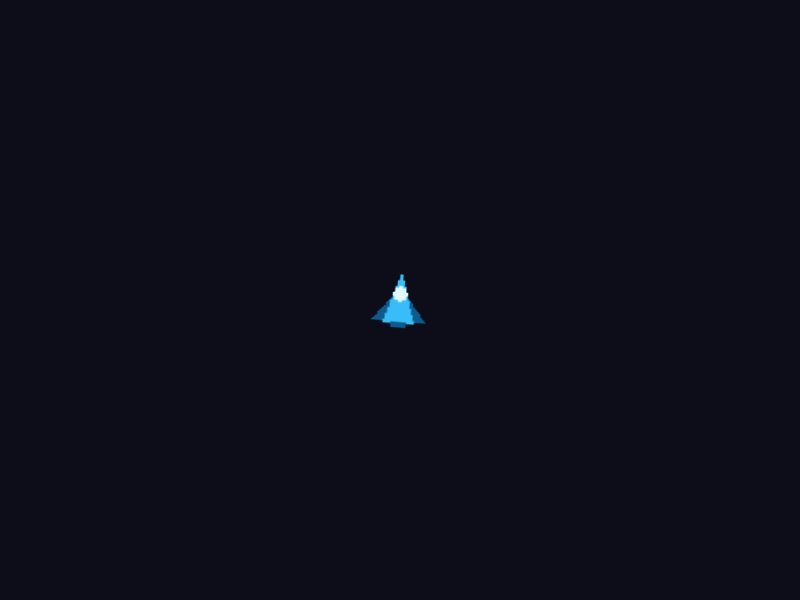
The same ship as before, now an image drawn at twice its size and centered on its own middle rather than its top-left corner.
- A blue arrowhead ship, 64 pixels across, exactly in the middle of the window.
- Turning steadily on the spot, one rotation every six or so seconds.
- Its colors unchanged — blue hull, pale cockpit.
If it orbits rather than spins, the origin arguments are missing or zero. If it is tiny, the scale is missing. If it is a strange color, something set a color before the draw and never set it back. And if LÖVE refused to start, the file is not in the folder or the name does not match — that one is case-sensitive on most machines.
That is the first block. You have a window, a loop, shapes, input, frame-rate-independent movement, and a sprite. Activity 2.5 starts the game proper, with a table of bullets — and it opens by walking a list backwards, exactly as Activity 1.9 said it would.